Native macOS apps for screenshots, dictation and a smarter notch — small software for the things you do every day. Runs entirely on your Mac. Free and open source, no account.
 WinterShot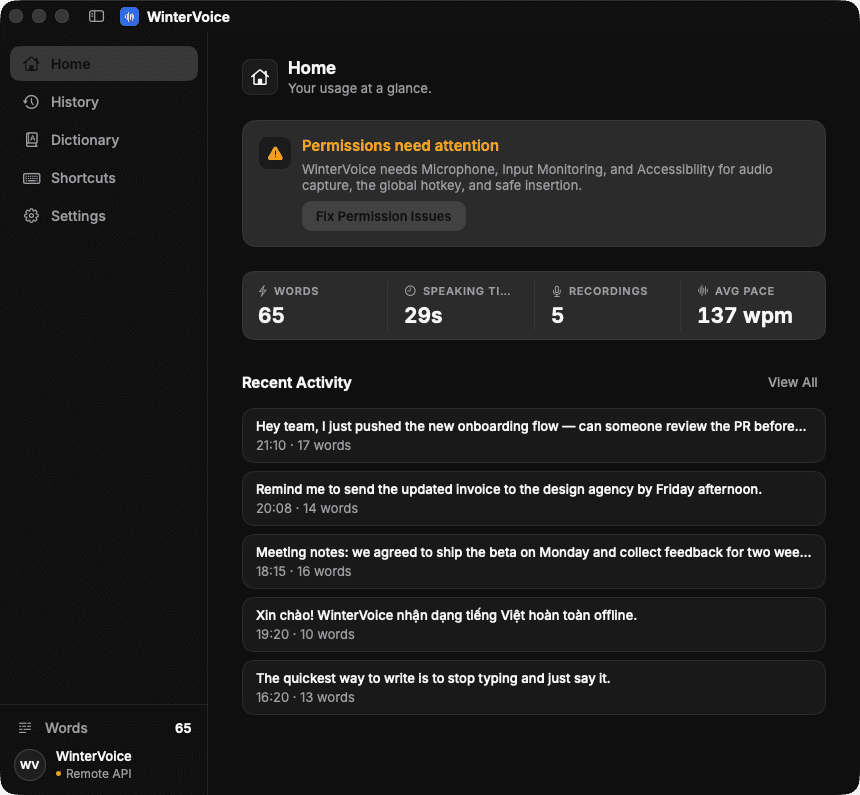
 WinterVoice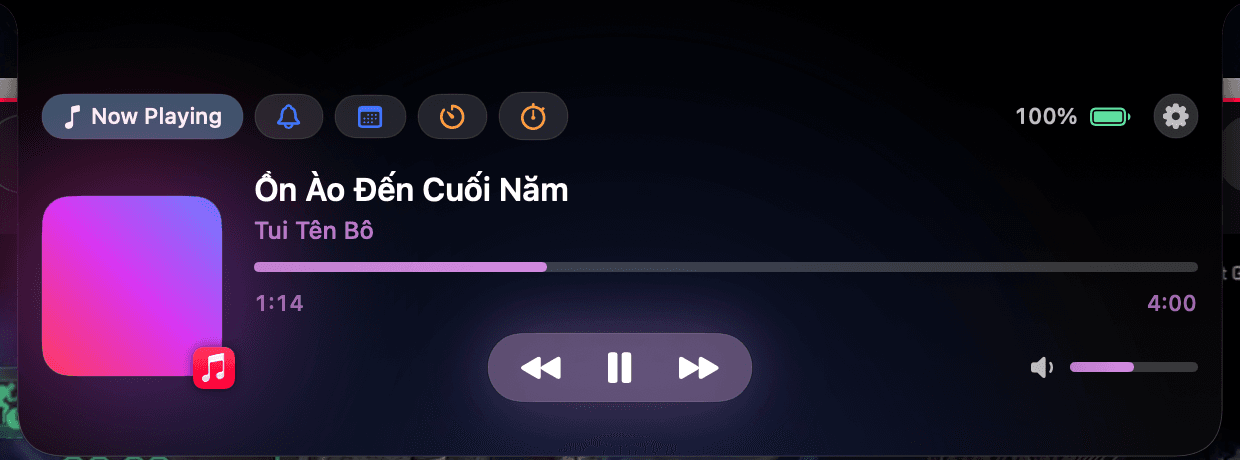
 WinterX Notch
Everyday Mac tools tend to charge monthly, ship your data to the cloud, or weigh as much as a web browser. Winter Labs goes the other way.
100%
On-device
Your captures, voice and notifications never leave your Mac.
$0
Free
No subscription, no account, no ads. Just download and go.
MIT
Open source
Read the code, file issues, contribute — everything is public.
Built on Apple frameworks and open-source foundations
- SwiftUI
- AppKit
- ScreenCaptureKit
- AVFoundation
- Apple Vision
- whisper.cpp
- CoreAudio
- EventKit
- Accessibility API
- Metal
Products


Features
Each app lives quietly in the menu bar, opens with one shortcut, and stays out of your way the rest of the time.
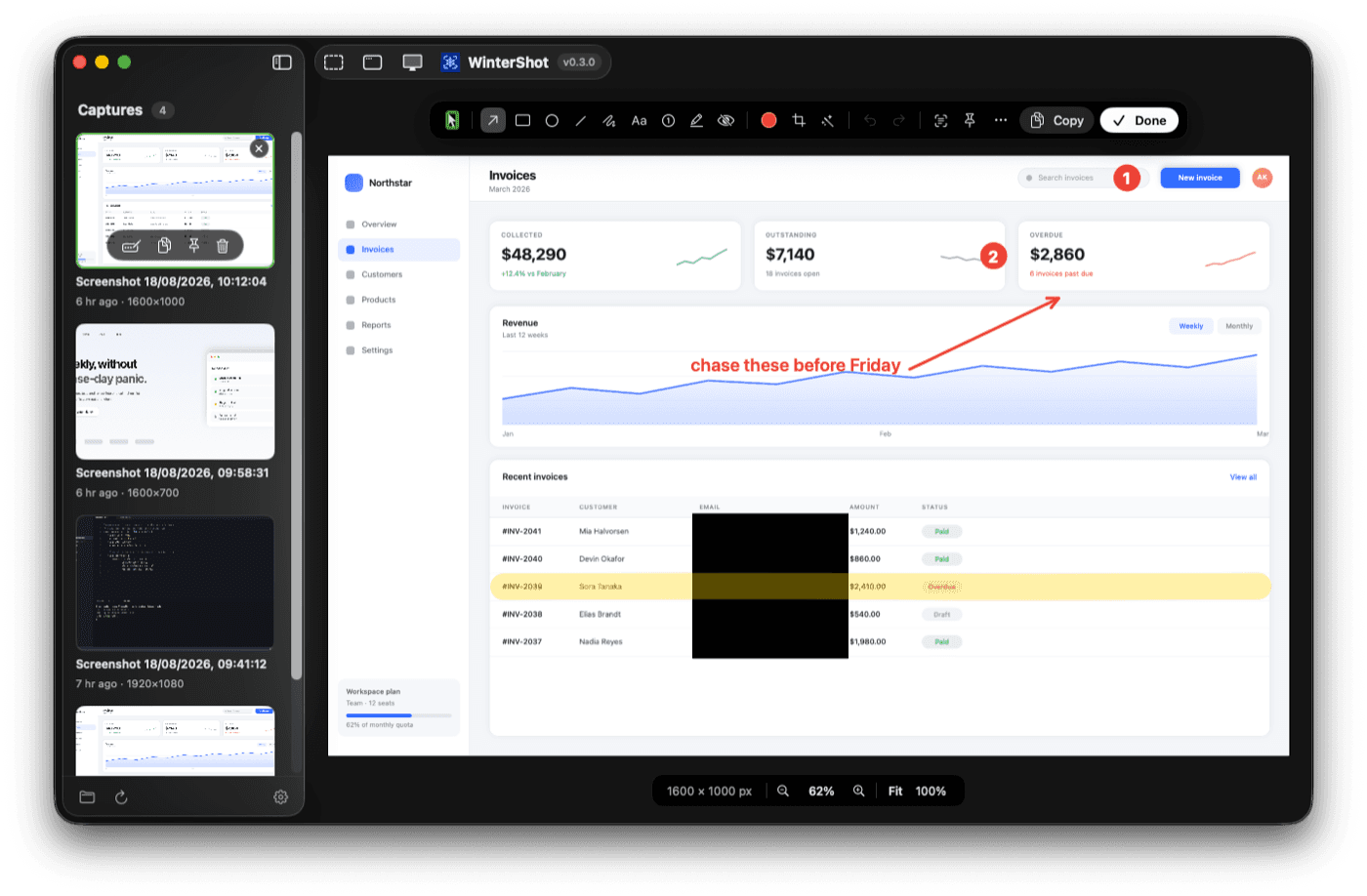
Frozen-screen selector
Press ⌘⇧4 and the screen freezes. Windows lift out of a dimmed backdrop as you hover — one click captures a window cleanly, even when it's half-covered.
Nine annotation tools
Arrow, rectangle, ellipse, line, freehand, text, numbered counters, highlighter and redaction — with undo/redo and drag-to-move.
Non-destructive by design
Annotations, crop, rotation and backdrop live in a .wshot.json sidecar. Reopen a capture months later and every arrow is still editable. Pixels are flattened only on export.
Studio editor for recordings
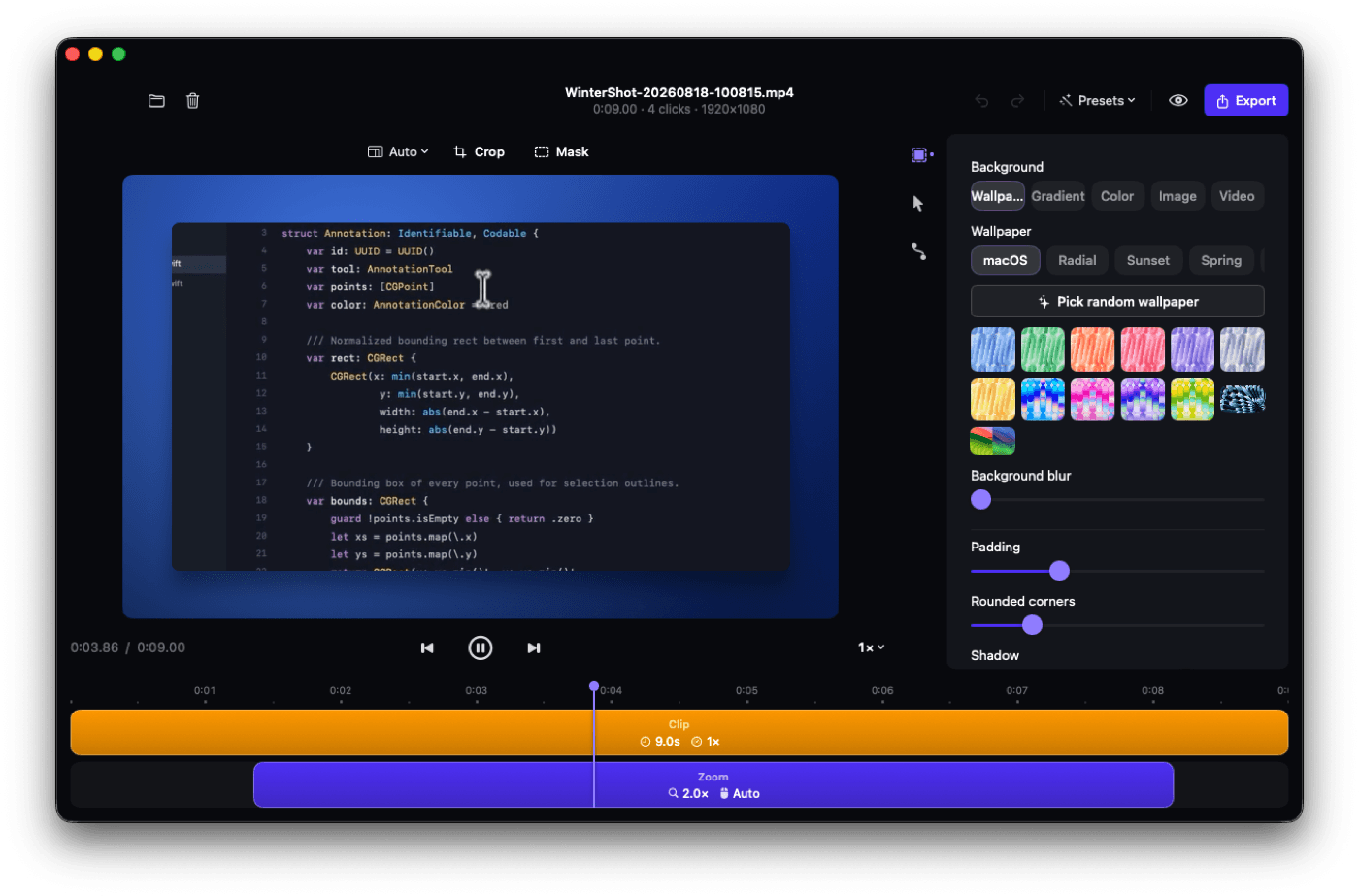
Pointer and clicks are logged next to the video, not burned in. The editor adds click-to-zoom, a smooth synthetic cursor and wallpaper backdrops, then exports 60 fps MP4 — as many times as you like.
- See everything in WinterShot →
Compare
WinterShot pairs a non-destructive screenshot editor with a Screen Studio-style recording editor — free and open source, while the alternatives charge up to $89.
| WinterShot | CleanShot X | Shottr | Screen Studio | macOS ⌘⇧4 | |
|---|---|---|---|---|---|
| Price | Free | $29+ | Freemium | $89+ | Free |
| Open source | ✓ | ✕ | ✕ | ✕ | ✕ |
| Freeze-frame selector | ✓ | ✓ | ✓ | — | ✕ |
| Re-editable annotations | ✓ | ✕ | ✕ | — | ✕ |
| Background beautify | ✓ | ✓ | ✓ | ✓ | ✕ |
| On-device OCR | ✓ | ✓ | ✓ | — | ✕ |
| Screen recording | ✓ | ✓ | ✕ | ✓ | ✓ |
| Click-to-zoom studio editor | ✓ | ✕ | ✕ | ✓ | ✕ |
| 100% on-device, no account | ✓ | ✓ | ✓ | ✕ | ✓ |
Based on publicly documented features as of 2026. Competitor names are trademarks of their owners.
Principles
Your data stays yours
No telemetry, no analytics in the apps, nothing sent to our servers. Beyond update checks and model downloads you ask for, the apps stay offline.
Native, never Electron
SwiftUI and Apple's system frameworks. Instant launch, light on memory, and at home on macOS.
Fewest permissions possible
WinterShot needs exactly one permission: Screen Recording. Every permission we ask for comes with a reason.
About us
It started with one developer and a MacBook.
Winter Labs grew out of everyday frustrations of a mobile developer in Vietnam: screenshot tools wanted a subscription, dictation wanted your voice in the cloud, and the notch just sat there doing nothing.
So we built our own. WinterShot for screenshots and recordings, WinterVoice for speaking instead of typing — especially to AI agents — and WinterX Notch to finally put the notch to work.
Software we want to use every day — and are happy to open up for anyone to read.
FAQ
Frequently asked questions
Are Winter Labs apps really free?
Yes. WinterShot and WinterVoice are free and open source under the MIT License. No paid tier, no ads, no account.
Does any of my data leave my Mac?
No. Screenshots, recordings and voice are processed entirely on your Mac. WinterVoice only talks to a server if you configure your own transcription API.
Which Macs are supported?
WinterShot and WinterVoice need macOS 14 or later and are optimised for Apple Silicon. WinterX Notch needs macOS 15 and a MacBook with a notch.
Why does macOS warn me on first launch?
Our builds are not notarized by Apple. Right-click the app → Open → Open, or run xattr -cr on the app once. Each project's README has step-by-step instructions.
How can I help?
Star the repo, report bugs or send a pull request on GitHub. Telling a friend helps too.
When will WinterX Notch be available?
WinterX Notch is in private beta. We'll ship a public release once Now Playing, notifications and the system HUD are as stable as we want them.
Free and open source. Runs right on your Mac — no account, no subscription.